Free
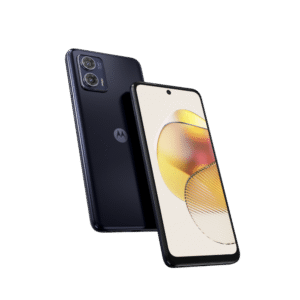
Moto G85 XT2427-3 Dump file flash64
⬇ Free Download
About this file
File Details
Secure high-speed verified download from Wp Bazzar servers.
Key Features✓ Virus-free and safe
✓ Secure download
✓ Fast download speed
✓ 100% tested
✓ Anti-Crack support
✓ Ad-free Experience
File Information
File Name:Moto G85 XT2427-3 Dump file flash64
File Size:1.68GB
Upload Date:February 17, 2026
Downloads:469
File Status
Featured:Featured
Price:Free
File ID:
✕
Premium Access
Flashing the Moto G85 is a straightforward process when done correctly. To begin, download the official firmware and install USB drivers from Motorola. Next, install the Rescue and Smart Assistant (RSA) tool on your computer. Power off the device and boot into Fastboot Mode by pressing the required key combination. Connect your phone via USB, open the RSA tool, and select the firmware file. Follow the on-screen instructions to start flashing. Ensure your battery is sufficiently charged to avoid interruptions. Flashing helps fix software issues, boot loops, lagging performance, and system errors, restoring the Moto G85 to stable working condition safely.