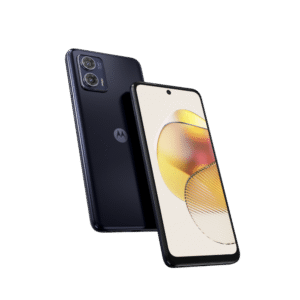
Motorola Edge 60 Fusion (XT2503-2)
Secure high-speed verified download from Wp Bazzar servers.
Key FeaturesFile Information
File Status
Premium Access
Introduction: Are you looking to unbrick your Motorola Edge 60 Fusion, specifically the XT2503-2 variant? Whether you are dealing with a bootloop, a dead-after-flash scenario, or need to repair the IMEI/Baseband, having a reliable Full Dump File is essential. In this guide, we provide the verified dump file and technical specifications for the XT2503-2 to help you restore your device to factory condition.
Device Specifications (XT2503-2)
Before flashing, ensure your device matches these hardware identifiers to avoid a permanent brick:
- Model Name: Motorola Edge 60 Fusion
- Model Number: XT2503-2
- Processor: MediaTek Dimensity 7400 (MT6897)
- Android Version: 15
- Storage Type: UFS 2.2 (256GB / 128GB variants)
- RAM: 8GB / 12GB LPDDR4X
What is included in this Dump File?
This is a “Full Dump” extracted via professional tools (like EasyJTAG, UFI Box, or Medusa Pro). It includes critical partitions:
- Boot1 & Boot2: Essential for the initial power-on sequence.
- User Area (Partial): Contains the core OS structure.
- Network Partitions: (Modemst1, Modemst2, FSG) – Note: Always backup your original security partitions first!
Warning: Flashing a dump file from another device may wipe your original IMEI and Serial Number. Use this for unbricking purposes only.
How to Flash Motorola XT2503-2 Dump File
- Connect your device via ISP Pinout or Test Point.
- Open your preferred EMMC/UFS tool (e.g., UFI Box).
- Select the MediaTek tab and identify the chip.
- Load the
XT2503-2_Dump_Full.binfile. - Click Write and wait for the process to complete.